SiriusXM
for your Mac.
Canis97 is a small native player for the SiriusXM subscription you already have. Browse channels, choose one, and keep listening without keeping the website open.
Download Canis97macOS 26 or later / Apple silicon / SiriusXM subscription required

Browse and play your SiriusXM channels.
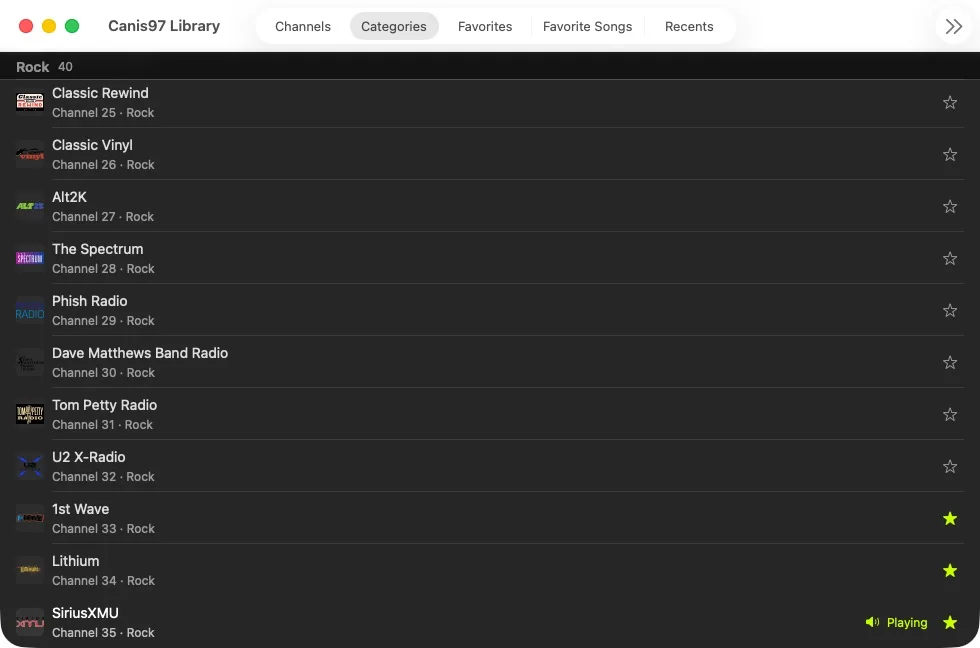
Search by name, browse by category, or return to favorites and recent stations. Canis97 shows the current artwork and program or song while it plays.

THE COMPACT PLAYER CAN STAY ABOVE YOUR OTHER WINDOWS.
What Canis97 does.
- Browse
- Channels, categories, search, favorites, and recents.
- Listen
- Live audio with artwork and the current show or song.
- Control
- Mac media keys, Control Center, and keyboard shortcuts.
- Keep
- Favorite channels and songs, stored locally on your Mac.
Install Canis97.
-
01
Download the Canis97 disk image.
-
02
Open it and drag Canis97 into Applications.
-
03
Open it and sign in with your SiriusXM account.
Download Canis97
macOS 26 or later / Apple silicon / SiriusXM subscription required